Install PhoneMount
PhoneMount.dmg is downloading. Nothing happening? Download it again
Free · macOS 26 Tahoe or later
On a phone? Open phonemount.app on your Mac to install
- 1
Open the download and drag PhoneMount into Applications
Open PhoneMount.dmg from your downloads. In the window that opens, drag the icon onto the folder.
- 2
Open it from Applications
Press ⌘ Space, type PhoneMount and press Return. If macOS asks whether you are sure, click Open.
- 3
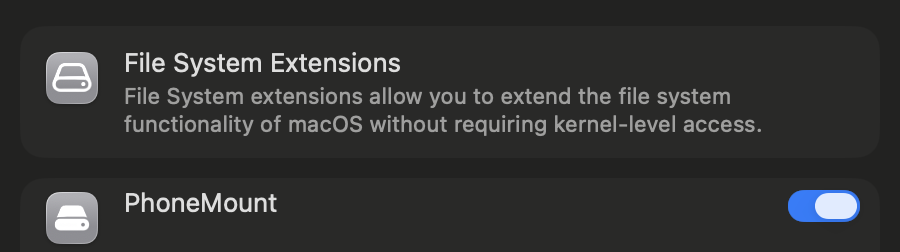
Follow the setup window
It opens by itself and walks you through switching PhoneMount on in System Settings. macOS asks for this once.
- 4
Plug in your device
Connect it with a USB cable and unlock it. On Android, tap the USB notification and pick File transfer. If it asks “Allow access to phone data?”, tap Allow.
- 5
Find it in Finder
Your device appears in the Finder sidebar under Locations. PhoneMount itself lives in the menu bar.

↖ PhoneMount is this icon
 PhoneMount
Done? Eject the PhoneMount disk in Finder and delete PhoneMount.dmg. Stuck? See support.